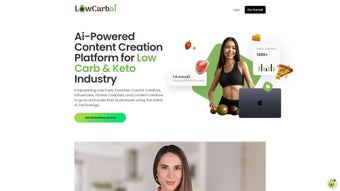

Download LowcarbAI – AI Writing Assistant for Low Carb Content
Overview of LowcarbAI: AI‑Powered Content Creation for Keto & Low‑Carb Niches
In the fast‑moving world of health‑focused digital marketing, the ability to generate accurate, engaging, and compliant content at scale can be the difference between a thriving brand and a stagnant one. LowcarbAI answers that call with a purpose‑built AI writing assistant that caters specifically to the low‑carb and keto communities. Unlike generic AI writers that require extensive prompting and manual editing, LowcarbAI is trained on a curated corpus of nutrition science, recipe development, and lifestyle coaching material.
This focus enables the platform to suggest terminology, nutritional values, and audience‑centric hooks that feel native to the niche.
The platform is designed for coaches, course creators, influencers, and anyone who needs to produce high‑quality written assets—blog posts, email sequences, social media captions, podcast scripts, and even video outlines—without sacrificing authenticity. By leveraging natural language processing and domain‑specific knowledge, LowcarbAI reduces the time spent on research, drafting, and revision.
The result is a streamlined workflow where ideas move from concept to publication in a matter of minutes rather than hours.
Beyond pure text generation, LowcarbAI integrates a speech‑to‑text generator that captures spoken ideas and instantly converts them into editable drafts. This feature is especially valuable for podcasters and video creators who often brainstorm on the go.
Coupled with a personalized meal planner that auto‑generates low‑carb menus based on user preferences, the platform offers a holistic toolkit that merges content marketing with practical diet planning. Whether you’re looking to grow your email list, launch a new keto course, or simply maintain a consistent posting schedule, LowcarbAI provides the technological edge needed to stay competitive in a crowded marketplace.
Key Features that Set LowcarbAI Apart
- Domain‑Specific Language Model: Trained on thousands of low‑carb articles, recipes, and scientific studies to ensure accurate terminology and nutritional references.
- Speech‑to‑Text Generator: Record audio on any device and instantly receive a polished text draft, perfect for podcast scripts or video outlines.
- Personalized Meal Planner: Input dietary restrictions, calorie goals, and macro preferences; the AI creates week‑long low‑carb meal plans with grocery lists.
- Customizable Templates: Choose from a library of pre‑designed templates for blog posts, newsletters, e‑books, and social media posts tailored to the keto niche.
- Bulk Content Export: Export multiple drafts simultaneously in Word, PDF, or Markdown formats, streamlining the publishing pipeline.
- SEO Optimizer: Built‑in keyword analysis and readability scoring help you rank higher on Google while keeping the copy engaging.
- Collaboration Workspace: Invite team members, assign roles, and track revisions in real time, ensuring consistent brand voice.
- Secure Cloud Storage: All content is encrypted at rest and in transit, meeting GDPR and HIPAA standards for health‑related information.
- Regular Updates & Community Support: Monthly AI model refinements and an active user forum keep you ahead of industry trends.
Installation, Setup, and Everyday Usage
Getting started with LowcarbAI is intentionally simple, allowing you to focus on content rather than technical hurdles. The platform is delivered as a cloud‑based web app, so there’s no heavy software download required. However, for users who prefer a desktop experience, LowcarbAI offers lightweight installers for Windows, macOS, and Linux that act as secure browsers pointing to the same cloud backend.
Step‑by‑Step Installation
- Visit the official website: Navigate to lowcarbai.com and click the “Get Started – Free” button.
- Create your account: Sign up using an email address or single sign‑on via Google or Apple ID. A verification email will be sent for security.
- Choose your deployment: Select “Web App” for instant access, or download the appropriate installer for Windows (.exe), macOS (.dmg), or Linux (.AppImage).
- Run the installer (if applicable): Follow the on‑screen prompts. The installer verifies your license key, which is emailed after registration.
- Log in and configure: After launch, you’ll be guided through a brief onboarding wizard that asks about your niche focus (e.g., keto, low‑carb, Atkins), preferred content formats, and any dietary guidelines you want the AI to respect.
Daily Workflow Tips
Once set up, you’ll find the dashboard organized into three main panels: Content Generator, Meal Planner, and Collaboration Hub. To create a blog post, simply click “New Project,” select a template (e.g., “30‑Day Keto Challenge Blog”), and input a brief headline or keyword. The AI then produces a structured outline, which you can refine with a single click. For audio‑first creators, hit the microphone icon, record up to 30 minutes, and watch the transcription appear in real time, complete with suggested headings and bullet points.
The Meal Planner works similarly: enter client parameters (calorie target, macro split, allergies) and let the AI generate a seven‑day menu, complete with macro breakdowns and a printable grocery list. Export options let you share these plans directly with clients via email or embed them into a members‑only portal.
Because LowcarbAI runs on secure cloud infrastructure, all changes are auto‑saved, and version history is maintained for each document. This eliminates the fear of losing work and simplifies collaboration with editors or fellow coaches. Whether you’re drafting a single Instagram caption or a comprehensive e‑book, the platform’s intuitive UI and AI assistance keep you productive and consistent.
Compatibility, Pros, Cons, and Frequently Asked Questions
Supported Platforms: Windows 10/11, macOS 11+ (Big Sur and later), Linux (Ubuntu 20.04+, Fedora 33+), iOS 14+, Android 9+, and all modern browsers (Chrome, Firefox, Safari, Edge).
Pros
- Highly specialized AI model that understands low‑carb terminology.
- Speech‑to‑text feature eliminates manual transcription.
- Integrated meal planner adds value beyond content creation.
- Customizable templates speed up production for multiple formats.
- Secure cloud storage meets GDPR and HIPAA compliance.
- Collaboration tools support remote teams and client approvals.
- Regular AI updates keep the knowledge base current with nutrition science.
Cons
- Requires an internet connection for full functionality.
- Pricing tier for premium features may be high for solo freelancers.
- Learning curve for the onboarding wizard if you’re new to AI writing tools.
- Limited offline mode in the desktop installers.
FAQ – Your Questions Answered
Is LowcarbAI suitable for beginners with no AI experience?
Absolutely. The platform’s onboarding wizard walks you through each feature step‑by‑step, and the UI is designed for non‑technical users. You can start by selecting a template and letting the AI generate a draft in seconds.
Can I use LowcarbAI to create content in languages other than English?
Currently, LowcarbAI’s core model focuses on English, but a beta multilingual module is available for Spanish and French. Future updates aim to expand language support based on community demand.
How does the meal planner handle specific dietary restrictions like dairy‑free or gluten‑free?
During setup, you can tick boxes for common allergens and dietary preferences. The AI then excludes prohibited ingredients and substitutes them with suitable alternatives while maintaining macro ratios.
Is my data safe? Does LowcarbAI comply with privacy regulations?
Yes. All content is encrypted in transit (TLS 1.3) and at rest (AES‑256). LowcarbAI adheres to GDPR, CCPA, and HIPAA standards, making it suitable for handling health‑related information.
What pricing plans are available and is there a free trial?
LowcarbAI offers a 14‑day free trial with full feature access. After the trial, there are three tiers: Starter ($29/month), Professional ($79/month), and Agency ($149/month). Each tier adds more users, templates, and API calls.
Final Verdict and Call‑to‑Action
LowcarbAI stands out as a purpose‑built AI assistant that merges content creation with nutritional planning, delivering a one‑stop solution for anyone operating in the low‑carb or keto space. Its specialized language model, speech‑to‑text capabilities, and integrated meal planner address the unique challenges faced by coaches, course creators, and influencers. While the reliance on an internet connection and a premium price point may be considerations for some, the productivity gains, compliance assurance, and quality of output often outweigh these drawbacks.
If you’re looking to scale your content output, reduce the time spent on research and transcription, and offer added value to your audience through personalized meal plans, LowcarbAI is a worthwhile investment. The 14‑day free trial lets you explore every feature without risk, making it easy to determine if the platform aligns with your workflow.
Ready to supercharge your low‑carb content strategy? Click the button below to start your free trial, and experience the future of niche‑focused AI writing today.
Start Free TrialLowcarbAI has transformed the way I produce weekly newsletters and recipe ebooks. The AI’s understanding of macro calculations is spot‑on, and the speech‑to‑text feature lets me capture ideas during client calls without missing a beat. The only minor hiccup is the occasional latency during peak usage, but the support team resolves it quickly. Overall, a game‑changer for anyone serious about low‑carb content.






